Exploring the Power and Purpose of Diverse Everyday Item and Concept Outline Icons
Icons are more than just decorative elements on a website or app—they serve as visual cues that guide users, simplify navigation, and enhance the overall user experience. Among the most versatile and widely used types of icons are everyday item and concept outline icons. These simple yet effective graphics represent a broad range of objects, ideas, and activities, making them indispensable in modern design.
What Are Everyday Item and Concept Outline Icons?
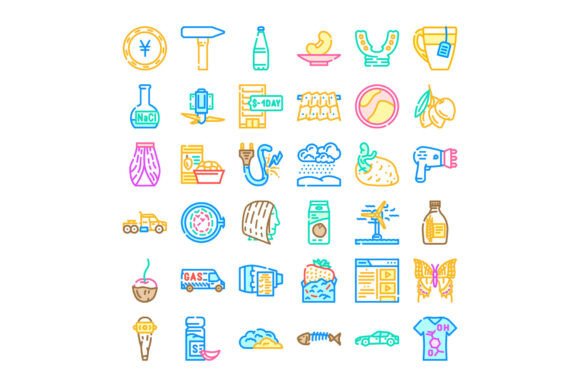
Everyday item and concept outline icons are minimalist line-based illustrations that depict common objects, natural elements, food items, tools, and abstract ideas. Unlike filled or highly detailed icons, outline icons use thin strokes to convey meaning in a clean and scalable format. They are often used in web and graphic design to represent functions, categories, or concepts in a way that is both intuitive and aesthetically pleasing.
These icons typically include items like:
- Household objects (e.g., lamps, clocks, chairs)
- Natural elements (e.g., sun, clouds, trees)
- Food and drink (e.g., coffee cups, fruits, utensils)
- Tools and equipment (e.g., hammers, wrenches, pens)
- Abstract concepts (e.g., growth, security, innovation)
Why Are Outline Icons Important in Design?
Outline icons play a crucial role in modern design due to their versatility, clarity, and adaptability. Here are some reasons why they’re so widely used:
- Visual Simplicity: The minimalist nature of outline icons ensures they don’t overwhelm the user interface. They communicate ideas clearly without distracting from the main content.
- Scalability: Because they are based on vector graphics, outline icons can be resized without losing quality. This makes them ideal for responsive web and mobile design.
- Consistency: When used in a set, outline icons maintain a uniform visual language across a website or application, improving user recognition and navigation.
- Customization: Designers can easily modify outline icons by changing colors, stroke widths, or adding fills, allowing them to fit different themes and brand identities.
How Outline Icons Improve User Experience
In digital interfaces, clarity and ease of use are paramount. Outline icons help users quickly understand what a button or menu item does without needing to read lengthy labels. For example, a magnifying glass icon is universally recognized as a search function, while a house icon typically represents the homepage.
This visual shorthand not only speeds up navigation but also supports users who may not be fluent in the language of the interface. It also enhances accessibility when paired with proper alt text and labels.
The Role of Icon Collections in Modern Design
Designers often rely on icon collections—curated sets of outline icons that cover a wide variety of topics. These collections offer several advantages:
- Broad Coverage: A comprehensive icon set includes hundreds of icons representing diverse objects and concepts, ensuring that designers can find the right visual for any situation.
- Time Efficiency: Using a pre-designed collection saves time compared to creating icons from scratch.
- Brand Consistency: Icon sets maintain a cohesive style, helping businesses maintain a unified brand image across platforms.
Examples of Everyday Use
Let’s explore a few real-world examples of how everyday item and concept outline icons are used:
- E-commerce Websites: Icons like shopping carts, product tags, and delivery trucks help users navigate online stores with ease.
- Mobile Apps: Weather apps use cloud, sun, and rain icons to convey forecasts quickly. Health and fitness apps use icons for running, heart rate, and nutrition.
- Educational Platforms: Icons for books, graduation caps, and calculators help categorize courses and learning tools.
- Travel and Navigation: Airplane, hotel, and compass icons help users plan trips and find locations effortlessly.
Common Misconceptions About Outline Icons
Despite their popularity, there are some misconceptions about outline icons that can lead to design missteps:
Misconception 1: “All Outline Icons Are the Same”
While many outline icons share a similar style, the quality, clarity, and cultural relevance can vary significantly between sets. Choosing the right set involves considering factors like line thickness, visual consistency, and how well the icon communicates its intended meaning.
Misconception 2: “Outline Icons Are Only for Minimalist Design”
Although outline icons are often associated with minimalism, they can be adapted to fit a variety of design styles. By adjusting colors, adding shadows, or combining them with other graphical elements, designers can integrate outline icons into more complex layouts.
Misconception 3: “Icons Don’t Need Context”
Icons alone may not always be clear. For example, an abstract icon representing “networking” might be mistaken for something else without accompanying text or a familiar context. Always consider the audience and the platform when selecting icons.
How to Choose the Right Icon Collection
Selecting the right icon collection is essential for creating an effective and visually appealing design. Here are some tips to help you choose wisely:
- Consider Your Audience: Will your users understand the icon’s meaning at a glance? Test icons with real users if possible.
- Match the Design Style: Choose icons that align with your website or app’s overall aesthetic—whether it’s modern, playful, professional, or vintage.
- Check Licensing: Ensure that the icon set you choose is available for your intended use, especially if you're using them in commercial projects.
- Look for Updates and Support: Reputable icon collections are regularly updated and supported by their creators, ensuring compatibility and long-term usability.
Popular Icon Collections and Where to Find Them
There are numerous platforms offering high-quality outline icon collections. Some of the most popular include:
Each of these platforms offers a wide variety of icons, with options for customization and integration into different design tools and frameworks.
Conclusion: The Value of Outline Icons in Everyday Design
Everyday item and concept outline icons are more than just visual embellishments—they are essential tools that enhance communication, improve user experience, and streamline design workflows. Whether you're building a website, designing a mobile app, or creating educational materials, these icons provide a universal visual language that bridges language barriers and simplifies navigation.
By understanding their purpose, selecting the right collection, and using them thoughtfully, designers and developers can create interfaces that are both functional and visually appealing. As technology continues to evolve, the role of outline icons in shaping our digital experiences will only grow more significant.